Pie Chart
A pie chart divides a circle into slices proportional to each category's value. Each slice has its own explicit color. Slice labels can be placed automatically (inside large slices, outside small ones), forced to one side, or replaced with a legend.
Import path: kuva::plot::PiePlot
Basic usage
Add slices with .with_slice(label, value, color). Slices are drawn clockwise from 12 o'clock in the order they are added.
#![allow(unused)]
fn main() {
use kuva::plot::PiePlot;
use kuva::backend::svg::SvgBackend;
use kuva::render::render::render_pie;
use kuva::render::layout::Layout;
use kuva::render::plots::Plot;

let pie = PiePlot::new()
    .with_slice("Rust",   40.0, "steelblue")
    .with_slice("Python", 30.0, "tomato")
    .with_slice("R",      20.0, "seagreen")
    .with_slice("Other",  10.0, "gold");

let plots = vec![Plot::Pie(pie.clone())];
let layout = Layout::auto_from_plots(&plots).with_title("Pie Chart");

let scene = render_pie(&pie, &layout);
let svg = SvgBackend.render_scene(&scene);
std::fs::write("pie.svg", svg).unwrap();
}
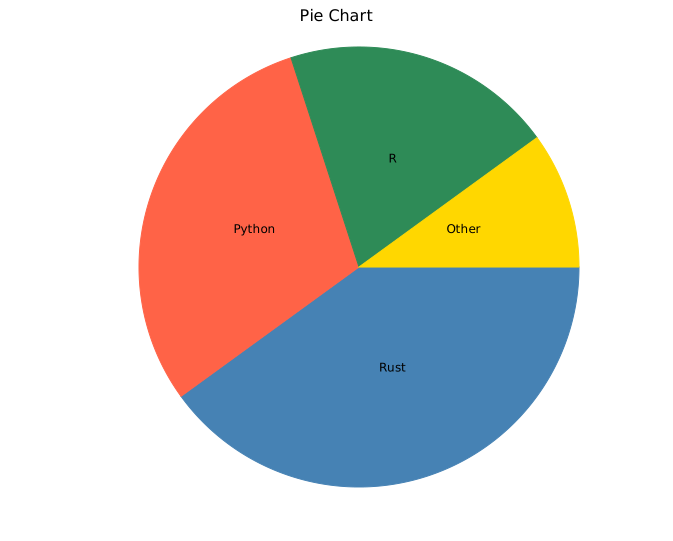
Only the ratio between slice values matters — absolute magnitudes are irrelevant.
.with_slice("A", 1.0, ...)and.with_slice("A", 100.0, ...)produce the same slice if all others scale identically.
Slice values must be zero or positive and sum to more than zero; otherwise no slices are drawn, the legend omits percentages, and the CLI reports the problem.
Donut chart
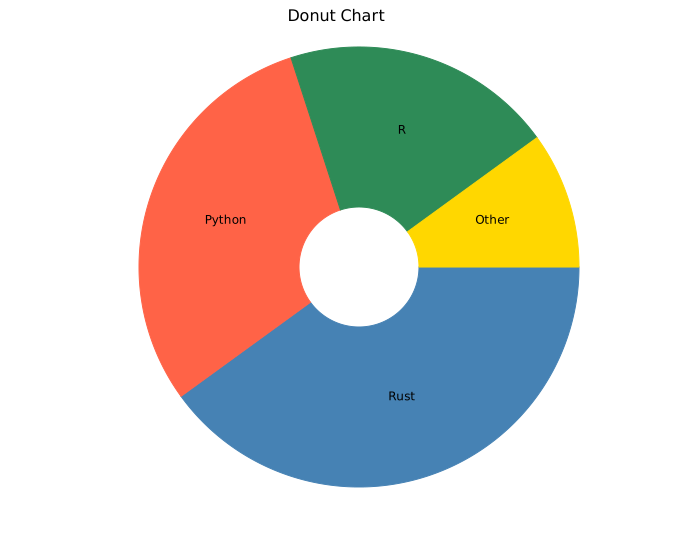
.with_inner_radius(r) cuts a hollow centre, converting the pie into a donut. r is the inner radius in pixels; the outer radius is computed from the canvas size. Values in the range 40.0–80.0 work well at the default canvas size.
#![allow(unused)]
fn main() {
use kuva::plot::PiePlot;
let pie = PiePlot::new()
    .with_slice("Rust",   40.0, "steelblue")
    .with_slice("Python", 30.0, "tomato")
    .with_slice("R",      20.0, "seagreen")
    .with_slice("Other",  10.0, "gold")
    .with_inner_radius(60.0);   // donut hole radius in pixels
}
Percentage labels
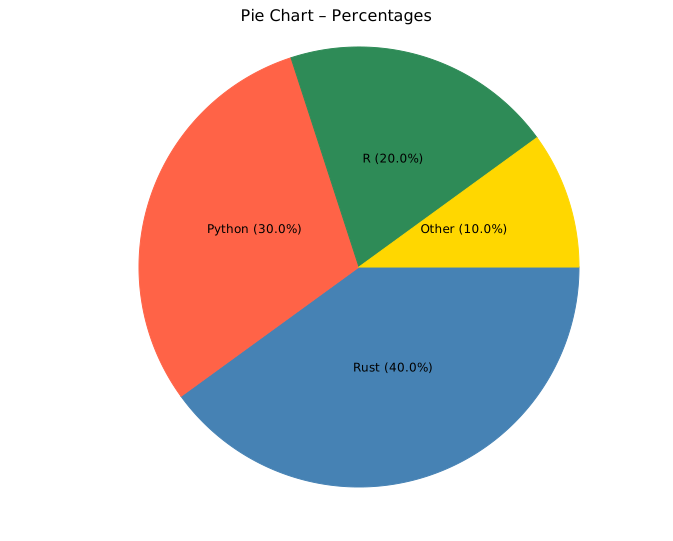
.with_percent() appends each slice's percentage of the total to its label, formatted to one decimal place (e.g. "Rust 40.0%").
#![allow(unused)]
fn main() {
use kuva::plot::PiePlot;
let pie = PiePlot::new()
    .with_slice("Rust",   40.0, "steelblue")
    .with_slice("Python", 30.0, "tomato")
    .with_slice("R",      20.0, "seagreen")
    .with_slice("Other",  10.0, "gold")
    .with_percent();
}
Label positioning
.with_label_position(PieLabelPosition) controls where labels appear.
| Variant | Behaviour |
|---|---|
Auto | Inside large slices; outside (with leader line) for small ones. Default. |
Inside | All labels placed at mid-radius, regardless of slice size. |
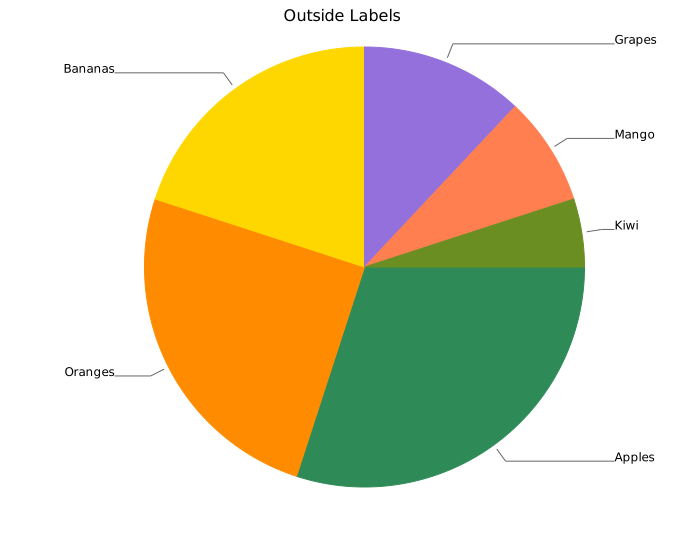
Outside | All labels outside with leader lines. Labels are spaced to avoid overlap. |
None | No slice labels. Combine with a legend (see below). |
Outside labels
Outside is recommended when slices vary widely in size or when many slices are present, since leader lines prevent labels from overlapping.
#![allow(unused)]
fn main() {
use kuva::plot::{PiePlot, PieLabelPosition};
use kuva::render::plots::Plot;

let pie = PiePlot::new()
    .with_slice("Apples",  30.0, "seagreen")
    .with_slice("Oranges", 25.0, "darkorange")
    .with_slice("Bananas", 20.0, "gold")
    .with_slice("Grapes",  12.0, "mediumpurple")
    .with_slice("Mango",    8.0, "coral")
    .with_slice("Kiwi",     5.0, "olivedrab")
    .with_label_position(PieLabelPosition::Outside);
}
Minimum label fraction
By default, slices smaller than 5 % of the total are not labelled (to avoid cramped text). Adjust this with .with_min_label_fraction(f).
#![allow(unused)]
fn main() {
use kuva::plot::PiePlot;
// Label every slice, even slices below 5 %
let pie = PiePlot::new()
    .with_slice("Big",  90.0, "steelblue")
    .with_slice("Tiny",  1.0, "tomato")
    .with_min_label_fraction(0.0);   // default is 0.05
}
Legend
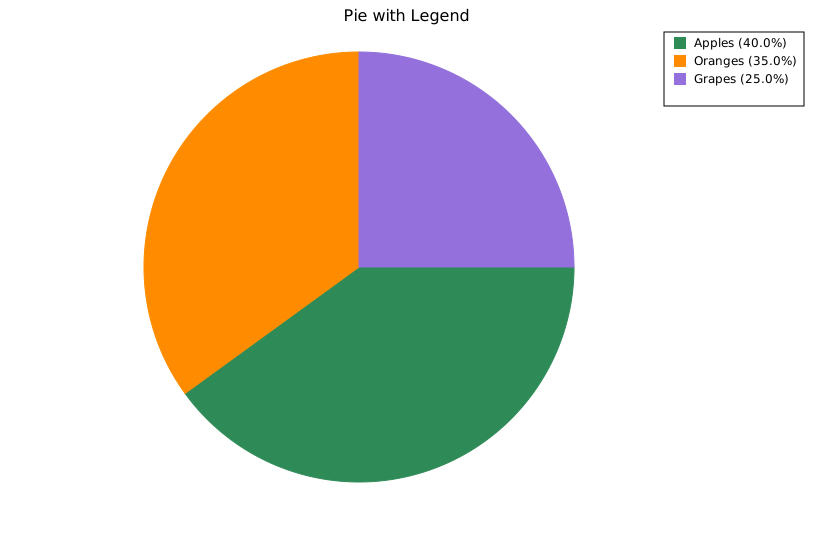
.with_legend("") enables a per-slice legend in the right margin. Each slice gets an entry (colored square + slice label); the slice labels come from .with_slice(), not from the string passed to .with_legend(). Use render_multiple instead of render_pie so the legend is rendered.
Combine with PieLabelPosition::None to use the legend as the sole means of identification.
#![allow(unused)]
fn main() {
use kuva::plot::{PiePlot, PieLabelPosition};
use kuva::backend::svg::SvgBackend;
use kuva::render::render::render_multiple;
use kuva::render::layout::Layout;
use kuva::render::plots::Plot;

let pie = PiePlot::new()
    .with_slice("Apples",  40.0, "seagreen")
    .with_slice("Oranges", 35.0, "darkorange")
    .with_slice("Grapes",  25.0, "mediumpurple")
    .with_legend("Fruit")
    .with_percent()
    .with_label_position(PieLabelPosition::None);  // legend replaces labels

let plots = vec![Plot::Pie(pie)];
let layout = Layout::auto_from_plots(&plots).with_title("Pie with Legend");

// render_multiple (not render_pie) so the legend is drawn
let svg = SvgBackend.render_scene(&render_multiple(plots, layout));
std::fs::write("pie_legend.svg", svg).unwrap();
}
API reference
| Method | Description |
|---|---|
PiePlot::new() | Create a pie chart with defaults |
.with_slice(label, value, color) | Add a slice; value is proportional |
.with_inner_radius(r) | Inner radius in pixels; > 0 makes a donut (default 0.0) |
.with_percent() | Append percentage to each slice label |
.with_label_position(pos) | Label placement: Auto, Inside, Outside, None (default Auto) |
.with_min_label_fraction(f) | Minimum slice fraction to receive a label (default 0.05) |
.with_legend("") | Enable the per-slice legend; entry labels are the slice names from .with_slice(). Use render_multiple to render it |
See also: Waffle Chart for a square-grid part-to-whole alternative, Sunburst Chart for a hierarchical version, Funnel Chart for sequential drop-off instead of a static share.
CLI
Pie or donut chart.
Input: label column + numeric value column.
| Flag | Default | Description |
|---|---|---|
--label-col <COL> | 0 | Label column |
--value-col <COL> | 1 | Value column |
--count-by <COL> | — | Count occurrences per unique value in this column (ignores --value-col) |
--color-col <COL> | — | Optional CSS color column |
--donut | off | Render as a donut (hollow center) |
--inner-radius <PX> | 80 | Donut hole radius in pixels |
--percent | off | Append percentage to slice labels |
--label-position <MODE> | (auto) | inside, outside, or none |
--legend | off | Show legend |
kuva pie pie.tsv --label-col feature --value-col percentage --percent

kuva pie pie.tsv --label-col feature --value-col percentage \
    --donut --legend --label-position outside

# count occurrences of each group
kuva pie scatter.tsv --count-by group --percent --legend
See also: Shared flags — output, appearance, axes, log scale.