Figure (Multi-Plot Layout)
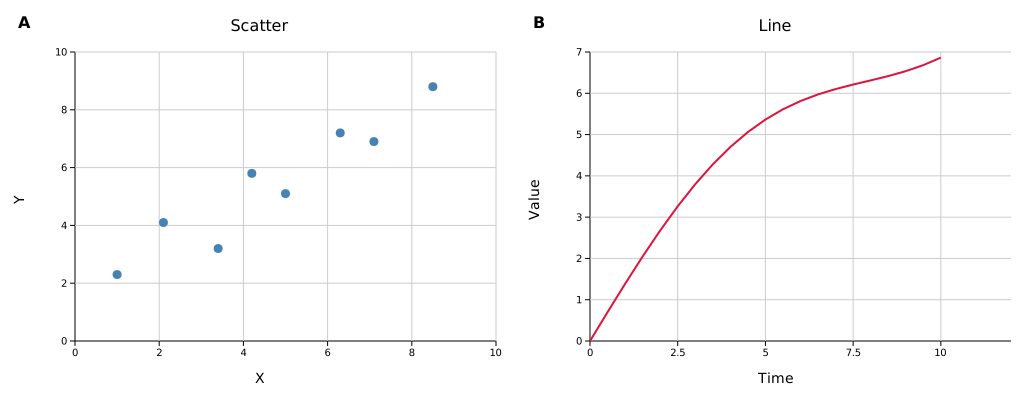
Figure arranges multiple independent plots in a grid. Each cell can contain any plot type. Cells can span multiple rows or columns, axes can be shared across cells, and a single legend can be collected from all panels.
Basic grid
#![allow(unused)]
fn main() {
use kuva::prelude::*;

let scatter = ScatterPlot::new()
    .with_data(vec![(1.0_f64, 2.3), (2.1, 4.1), (3.4, 3.2), (4.2, 5.8)])
    .with_color("steelblue");

let line = LinePlot::new()
    .with_data(vec![(0.0_f64, 0.4), (2.0, 2.0), (4.0, 3.7), (6.0, 4.9), (8.0, 6.3)])
    .with_color("crimson");

// Build plot vecs first so layouts can auto-range from the data
let plots_a: Vec<Plot> = vec![scatter.into()];
let plots_b: Vec<Plot> = vec![line.into()];

let layout_a = Layout::auto_from_plots(&plots_a).with_title("Scatter").with_x_label("X").with_y_label("Y");
let layout_b = Layout::auto_from_plots(&plots_b).with_title("Line").with_x_label("Time").with_y_label("Value");

let scene = Figure::new(1, 2)                          // 1 row, 2 columns
    .with_plots(vec![plots_a, plots_b])
    .with_layouts(vec![layout_a, layout_b])
    .with_labels()                                     // bold A, B panel labels
    .render();

let svg = SvgBackend.render_scene(&scene);
std::fs::write("figure.svg", svg).unwrap();
}
with_plots takes a Vec<Vec<Plot>> — one inner Vec per panel, in row-major order (left to right, top to bottom). with_layouts takes a Vec<Layout> in the same order.
Build each layout from its plot vec before passing both to the figure — Layout::auto_from_plots needs to see the data to compute axis ranges. with_layouts is optional; omit it and each panel auto-computes its own range.
Merged cells
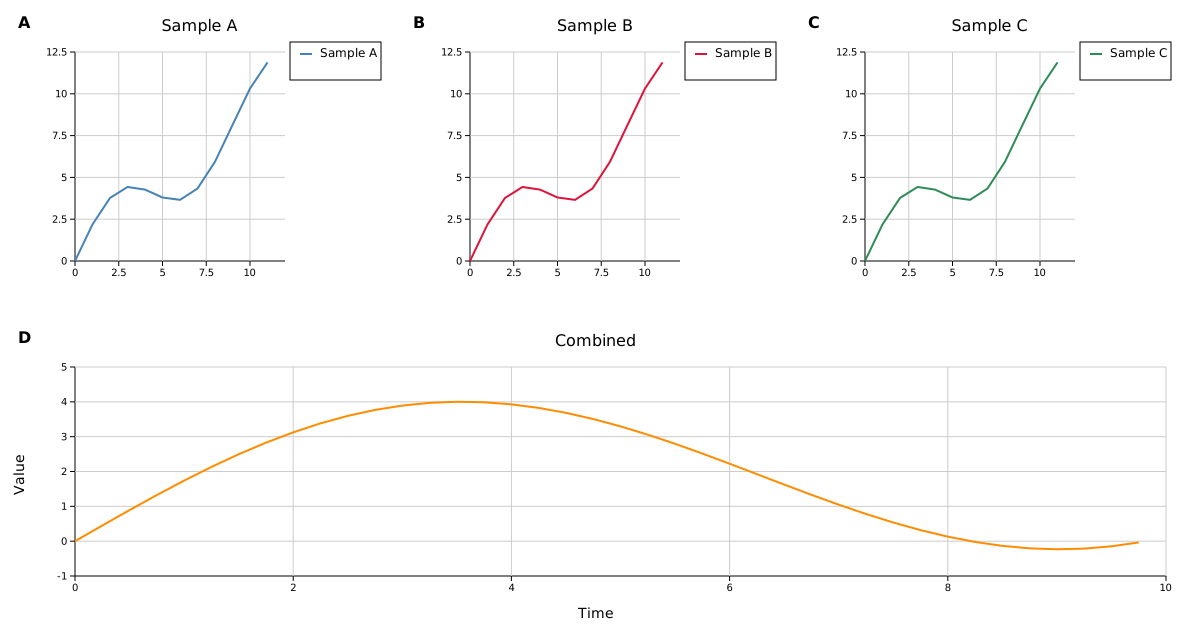
Use with_structure to span cells. The structure is a Vec<Vec<usize>> where each inner vec lists the cell indices (row-major) that form one panel.
#![allow(unused)]
fn main() {
use kuva::prelude::*;

// 2×3 grid: three small plots on top, one wide plot spanning the full bottom row
let figure = Figure::new(2, 3)
    .with_structure(vec![
        vec![0],        // top-left
        vec![1],        // top-centre
        vec![2],        // top-right
        vec![3, 4, 5],  // bottom row — spans all 3 columns
    ])
    .with_plots(vec![
        vec![/* plot A */],
        vec![/* plot B */],
        vec![/* plot C */],
        vec![/* wide plot D */],
    ]);
}
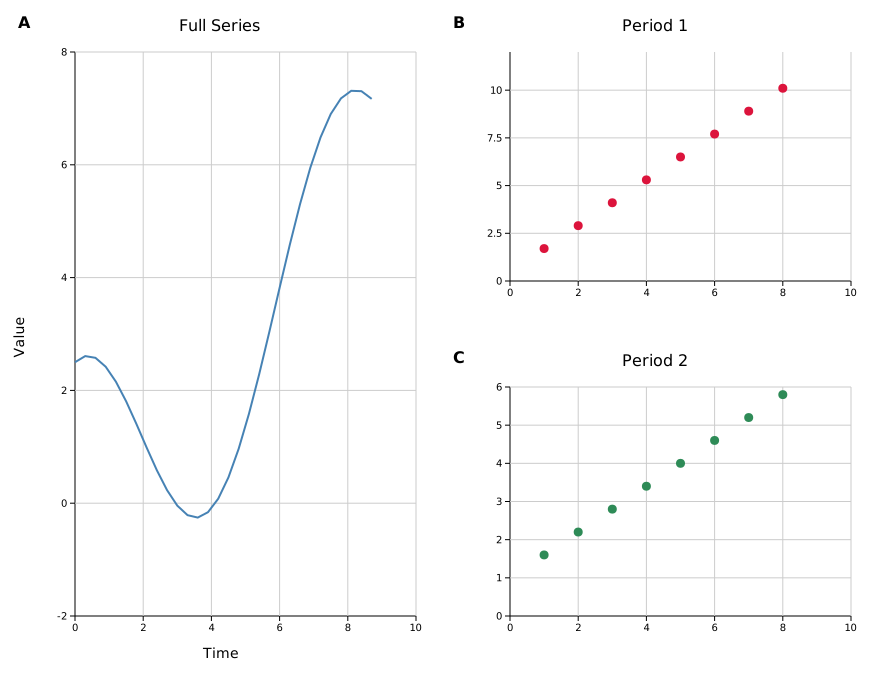
For a tall left panel spanning both rows of a 2×2 grid:
#![allow(unused)]
fn main() {
// cell indices for a 2×2 grid:
//   0  1
//   2  3
Figure::new(2, 2)
    .with_structure(vec![
        vec![0, 2],  // left column, both rows — tall panel
        vec![1],     // top-right
        vec![3],     // bottom-right
    ]);
}
Groups must be filled rectangles — L-shapes and other non-rectangular spans are not supported.
For a tall left panel:
Shared axes
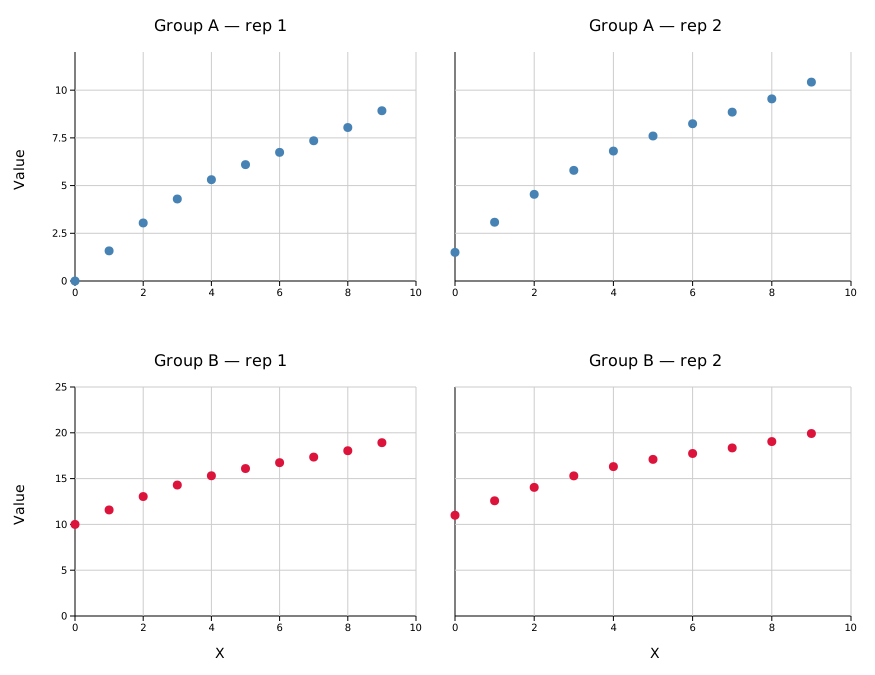
Sharing an axis unifies the range across the linked panels and suppresses duplicate tick labels on inner edges.
#![allow(unused)]
fn main() {
use kuva::prelude::*;

Figure::new(2, 2)
    // ...
    .with_shared_y_all()       // same Y range across all panels
    .with_shared_x_all()       // same X range across all panels
    ;
}
Fine-grained control:
| Method | Effect |
|---|---|
.with_shared_y_all() | Shared Y across every panel |
.with_shared_x_all() | Shared X across every panel |
.with_shared_y(row) | Shared Y within a single row |
.with_shared_x(col) | Shared X within a single column |
.with_shared_y_slice(row, col_start, col_end) | Shared Y for a subset of a row |
.with_shared_x_slice(col, row_start, row_end) | Shared X for a subset of a column |
Panel labels
#![allow(unused)]
fn main() {
figure.with_labels()            // A, B, C, ... (bold, size 16 — default)
figure.with_labels_lowercase()  // a, b, c, ...
figure.with_labels_numeric()    // 1, 2, 3, ...

// Custom strings — size and bold are the only meaningful config fields here
figure.with_labels_custom(
    vec!["i", "ii", "iii"],
    LabelConfig { style: PanelLabelStyle::Uppercase, size: 14, bold: false },
)
}
Shared legend
Collect legend entries from all panels into a single figure-level legend. Per-panel legends are suppressed automatically.
#![allow(unused)]
fn main() {
use kuva::prelude::*;

Figure::new(1, 2)
    // ...
    .with_shared_legend()         // legend to the right (default)
    .with_shared_legend_bottom()  // legend below the grid
    ;
}
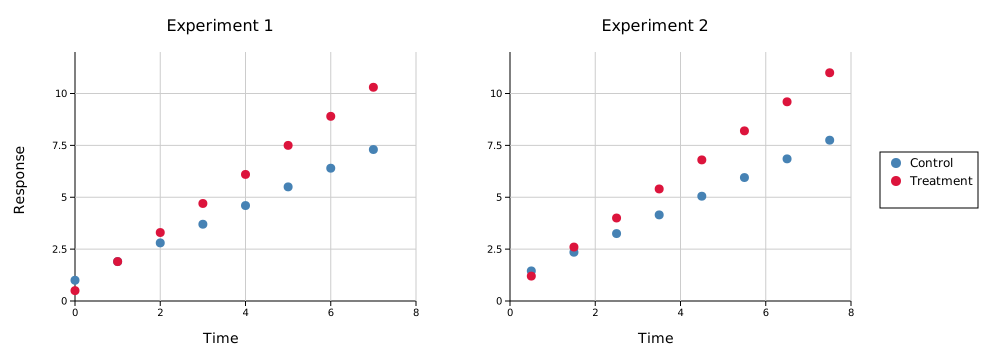
To keep per-panel legends visible alongside the shared one:
#![allow(unused)]
fn main() {
figure.with_keep_panel_legends()
}
To supply manual legend entries instead of auto-collecting:
#![allow(unused)]
fn main() {
use kuva::plot::{LegendEntry, LegendShape};

figure.with_shared_legend_entries(vec![
    LegendEntry { label: "Control".into(), color: "steelblue".into(), shape: LegendShape::Rect },
    LegendEntry { label: "Treatment".into(), color: "crimson".into(), shape: LegendShape::Rect },
])
}
Sizing and spacing
#![allow(unused)]
fn main() {
Figure::new(2, 3)
    .with_cell_size(500.0, 380.0)  // width × height per cell in pixels (default)
    .with_spacing(15.0)            // gap between cells in pixels (default 15)
    .with_padding(10.0)            // outer margin in pixels (default 10)
    .with_title("My Figure")       // centered title above the grid
    .with_title_size(20)           // title font size (default 20)
}
The total SVG dimensions are computed automatically from the cell size, spacing, padding, title height, and any shared legend.
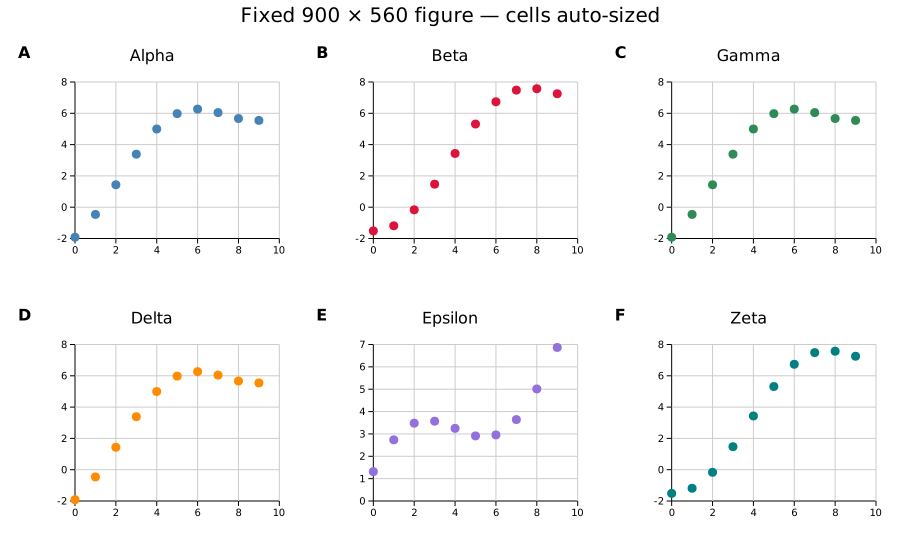
Alternatively, set the total figure size and let cells auto-compute:
#![allow(unused)]
fn main() {
Figure::new(2, 3)
    .with_figure_size(900.0, 560.0)  // total width × height; cells sized to fit
}
with_figure_size takes precedence over with_cell_size when both are set. The cell size budget is computed after reserving space for padding, spacing, title height, and any shared legend — so the output SVG dimensions exactly match what you specify.
Per-row and per-column overrides
Override the height of individual rows or the width of individual columns while leaving the rest at their default cell size:
#![allow(unused)]
fn main() {
Figure::new(3, 2)
    .with_cell_size(500.0, 380.0)
    .with_row_height(2, 80.0)    // third row is a thin annotation strip
    .with_col_width(1, 180.0)    // second column is a narrow legend column
}
When combined with with_figure_size, the explicit sizes are subtracted first and the remaining budget is divided equally among unconstrained rows/cols — so the total SVG dimensions are still exactly honoured.
API reference
| Method | Description |
|---|---|
Figure::new(rows, cols) | Create a rows × cols grid |
.with_structure(vec) | Define merged cells; default is one panel per cell |
.with_plots(vec) | Set plot data, one Vec<Plot> per panel |
.with_layouts(vec) | Set layouts; panels without a layout auto-range from data |
.with_title(s) | Centered title above the grid |
.with_title_size(n) | Title font size in pixels (default 20) |
.with_labels() | Bold uppercase panel labels (A, B, C, …) |
.with_labels_lowercase() | Lowercase panel labels (a, b, c, …) |
.with_labels_numeric() | Numeric panel labels (1, 2, 3, …) |
.with_labels_custom(labels, config) | Custom label strings with font config |
.with_shared_y_all() | Shared Y range across all panels |
.with_shared_x_all() | Shared X range across all panels |
.with_shared_y(row) | Shared Y within one row |
.with_shared_x(col) | Shared X within one column |
.with_shared_y_slice(row, c0, c1) | Shared Y for columns c0..=c1 in a row |
.with_shared_x_slice(col, r0, r1) | Shared X for rows r0..=r1 in a column |
.with_shared_legend() | Figure-level legend to the right |
.with_shared_legend_bottom() | Figure-level legend below the grid |
.with_shared_legend_entries(vec) | Override auto-collected legend entries |
.with_keep_panel_legends() | Keep per-panel legends alongside the shared one |
.with_cell_size(w, h) | Cell dimensions in pixels (default 500 × 380) |
.with_figure_size(w, h) | Total figure dimensions; cells auto-compute to fit |
.with_row_height(row, px) | Override height of a single row (0-based); other rows use cell_height |
.with_col_width(col, px) | Override width of a single column (0-based); other columns use cell_width |
.with_spacing(px) | Gap between cells (default 15) |
.with_padding(px) | Outer margin (default 10) |
.render() | Consume the Figure and return a Scene |